CADopia Professional Edition includes an integrated ACIS solid modeler, the industry standard solid modeling engine. Solid models represent an entire volume of a 3D object which can be analyzed for mass properties (mass, volume, moment of inertia, and center of gravity). The models can be exported for downstream Finite Element Analysis, 3D printing, or Computer-Aided-Manufacturing.
CADopia Professional Edition supports the following types of solid entities:
- Primitive solids
- Booleaned or composite solids
- Revolved and extruded solids
- Lofted solids
Primitive solids
CADopia Professional Edition supports the following basic solid objects, called primitives:
- Box
- Cone
- Cylinder
- Sphere
- Wedge
- Pyramid
- Torus

The primitive solids, by themselves are not very useful and are usually used as building blocks for creating more complex composite solids.
Composite solids
These solids are created using Boolean combinations of primitives, almost similar to Lego®. In real life, most of the three-dimensional objects are combinations of primitive shapes.
Composite solids are created using the following CADopia commands:
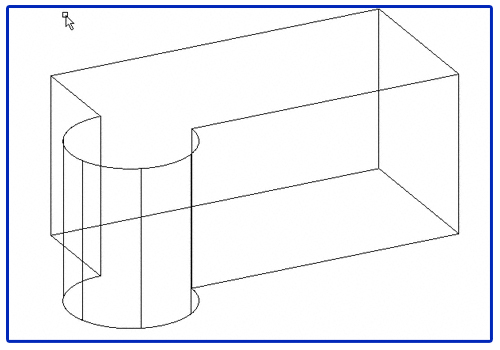
Union
Union command creates the composite solid by combining the volume of two or more solids.

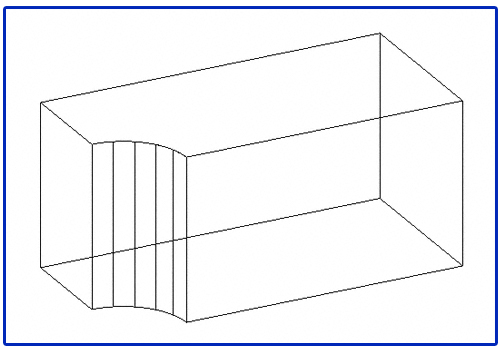
Subtract
Subtract command creates a composite solid by subtracting the volume of first set of selected solids from the second set of selected solids.
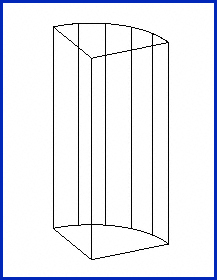
Intersect
With intersect command, you create the composite solid from the common volume of two or more overlapping solids. This command removes the non-overlapping portions.
Extruded and revolved solids
Extruded Solids
An extruded solid is created in CADopia when you add thickness to a closed 2D profile along an axis. The same shape can usually be created by a combination of primitives, but this method is simpler.
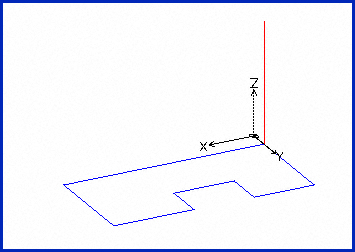

An extrusion can also be tapered by specifying an angle along the sides of the extrusion. In metal forming, draft angles are used to create the mold for a part. That is an example where tapered extrusion is useful.
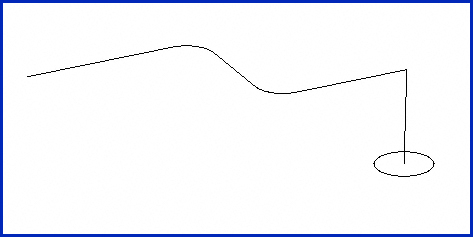
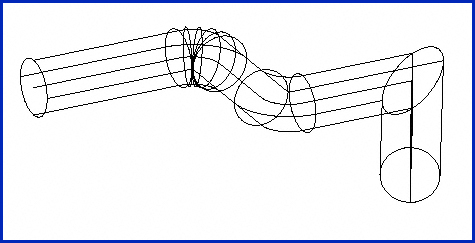
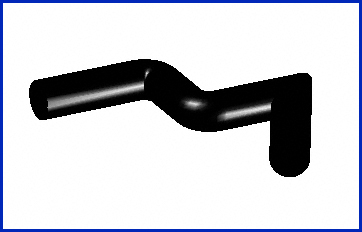
When the extrusion path is not a straight line, a swept solid is created. A good example of a Swept solid is a pipeline with bends.
Revolved Solids
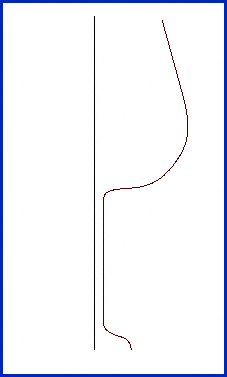
When you revolve a closed 2D profile around an axis, the resulting solid is a revolved solid. Symmetric solids can be created easily using the Revolve command.


Note that both extruded and revolved solids can be further combined using Boolean operations to create even more complex shapes and models in CADopia.
Lofted solids
When you form the solid that fits specified sections at different length intervals, the resulting solid is a lofted solid.